
01
One drive. One video.
Pick a route and Annex B fetches every segment, verifies it, and joins them into a single file you can actually share.
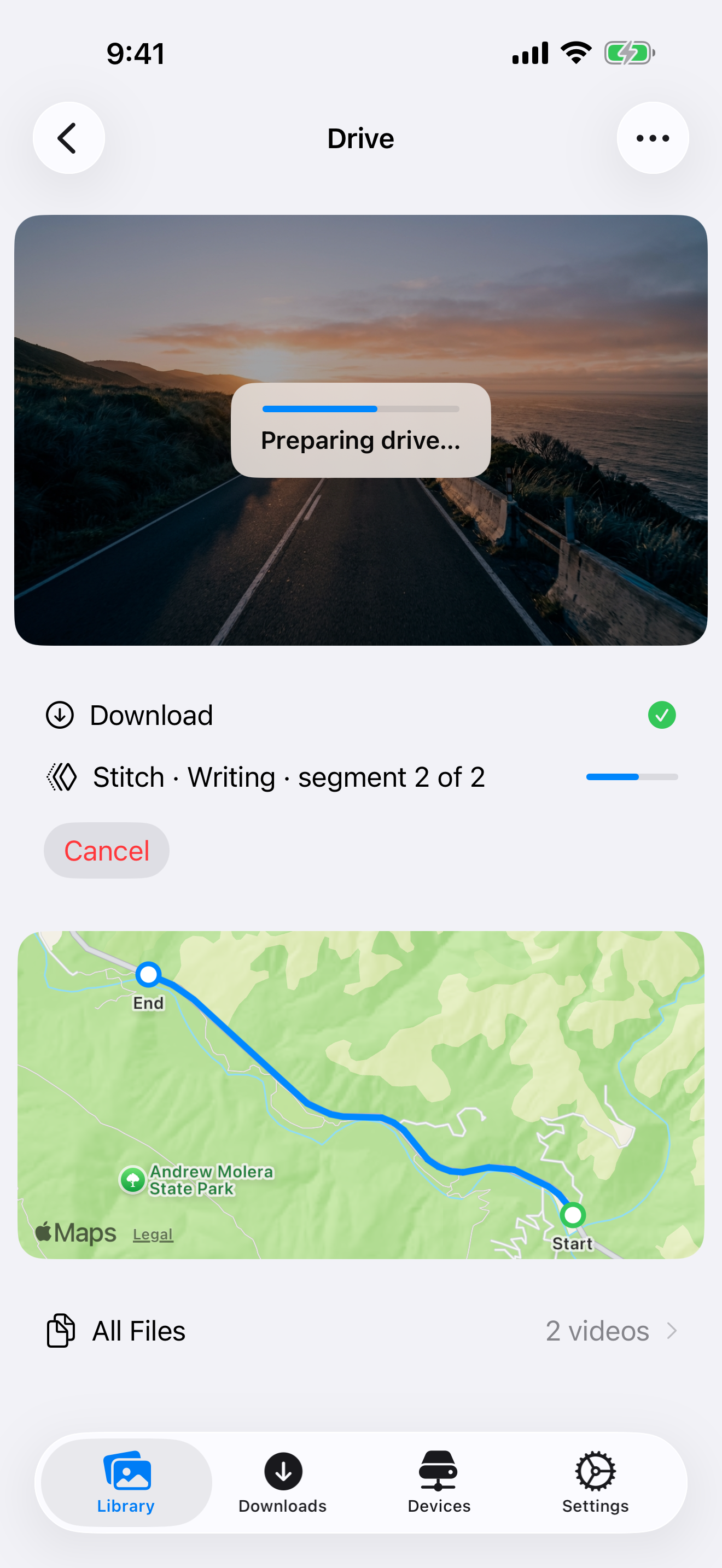
Your comma already records every drive. Annex B pulls that video straight off the device over your own Wi-Fi — browse your drives, stitch the segments into one video, and save it to Photos. No account, no cloud, nothing in between.

Try it before you pair
A built-in sample drive lets you browse, download, stitch, play, and save — the exact flow your real footage will follow.
Once it feels right, enable SSH on your comma and add the app's key. Your own drives take the sample's place.
Fully open source
Annex B is fully open source under the MIT License. Audit how it handles SSH keys, host-key changes, read-only downloads, video processing, and every other part of the local-only pipeline.
What it does
Your comma stores each drive as one-minute segments. Annex B downloads them over your network and turns them back into the drive you remember — no desktop, no scp, no manual stitching.
Pick a route and Annex B fetches every segment, verifies it, and joins them into a single file you can actually share.
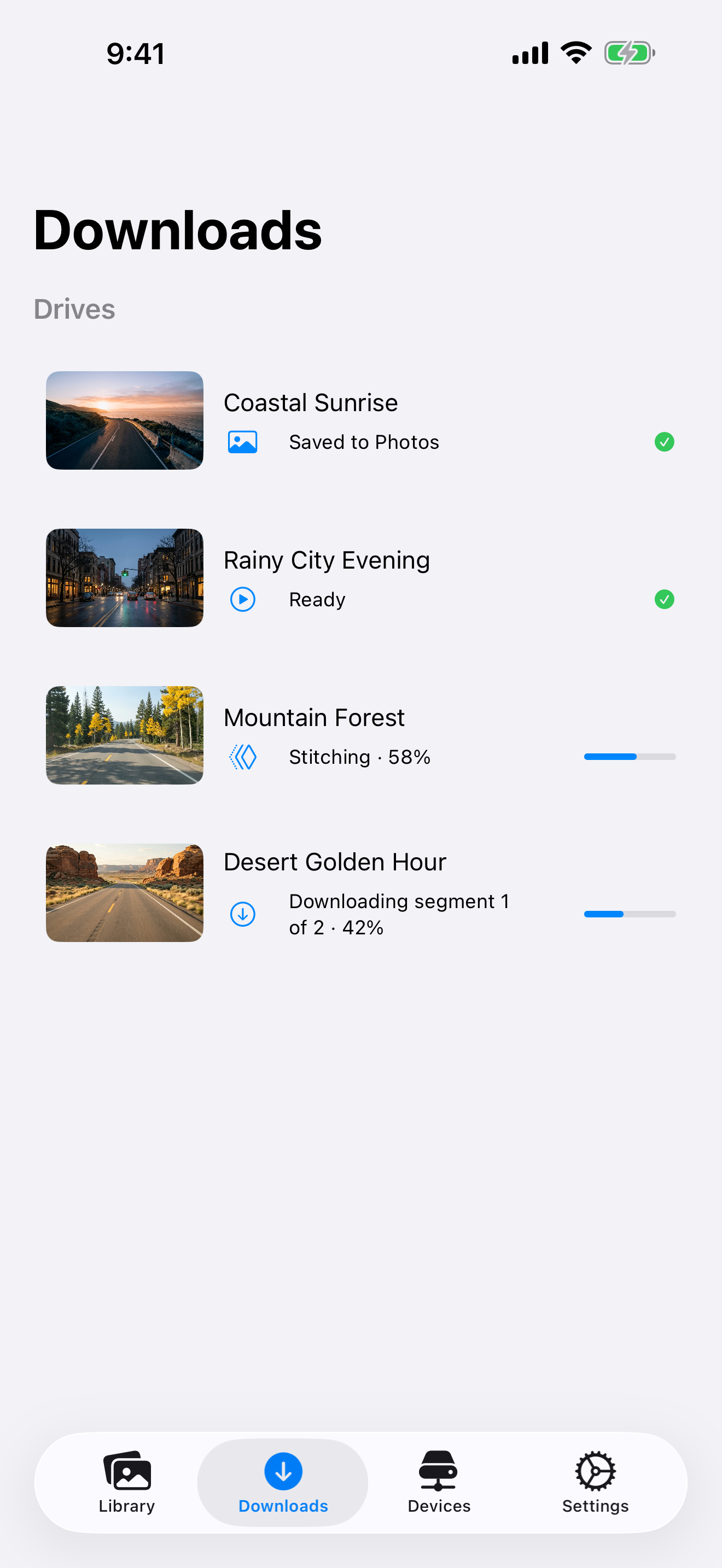
Every drive shows exactly where it is — downloading, stitching, ready to play, or saved to Photos — and picks up where it left off if the connection drops.
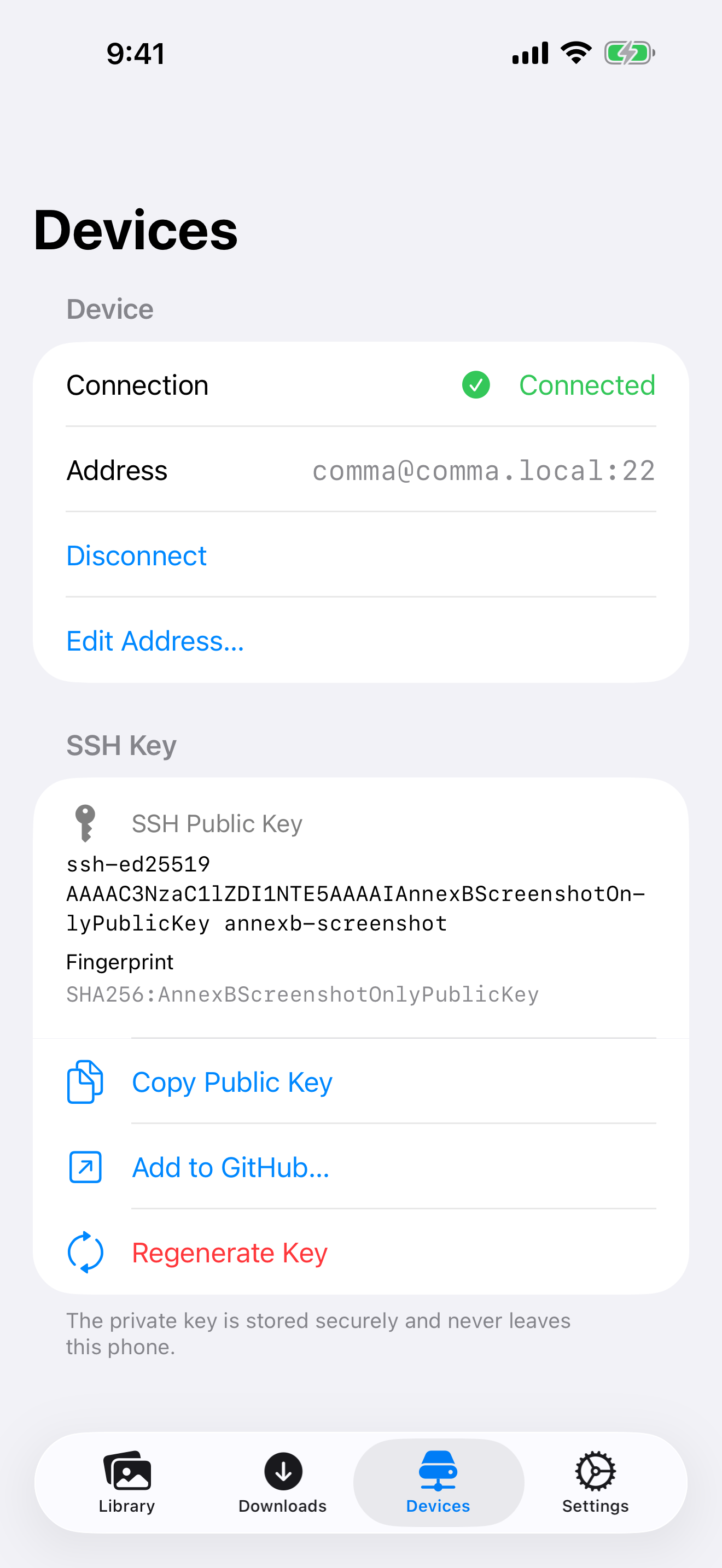
Annex B signs in with a key generated on your phone and kept in a ThisDeviceOnly Keychain item. Access is read-only, the host key is pinned, and a changed key stops the connection cold.
How it works
Enable SSH on your comma, add the key Annex B generates, and connect read-only over your own network. The host key is pinned on first contact — if it ever changes, the connection stops.
Browse your routes with road-camera thumbnails, then grab a single minute or the entire drive. Downloads resume if the connection drops.
Annex B joins the segments into one video. Keep the original HEVC or convert to H.264, watch it in the app, or save it to Photos.
Private by default
Annex B talks to exactly one machine: the comma device at the address you enter. Your routes, downloads, and finished videos live on your phone — and nowhere else.